
28. Features You Should Know in RonyaSoft CD DVD Label Maker
In the digital age, physical media—whether archival discs, gift DVDs, or professional Blu-ray releases—remain an important method for transferring content. A high-quality label is not just a pretty picture; it is the very first impression of your product. RonyaSoft CD DVD Label Maker is a tool designed to make this process intuitive, fast, and effective. In this article, we will break down several key features of the software that genuinely save time and boost the professionalism of your covers and inserts.
Why CD DVD maker programs are important
CD DVD label creation software solves three main tasks: positioning accuracy, design repeatability, and brand identity preservation. A correctly composed layout increases user trust—a design aligned to a grid with consistent margins is perceived as much more professional. Label Maker software from RonyaSoft combines a user-friendly interface with a toolkit that eliminates tedious configurations and unnecessary clicks.
Try it now! Download free from button below or from download page. Also you can buy one of the license from this page.

Advantages of RonyaSoft CD DVD Label Maker
- Intuitive Interface: Welcoming for beginners, yet powerful for professionals.
- Precise Positioning: Measurement units, percentages, and pixels for ideal element placement.
- Background and Template Libraries: A quick start for any project.
- Export to Standard Formats: Print preparation without additional conversions.
- Time Efficiency: Tools for mass changes and property copying.
Below is a breakdown of three practical tools (demonstrated in GIF animations) that will help you optimise the cover creation process and save time.
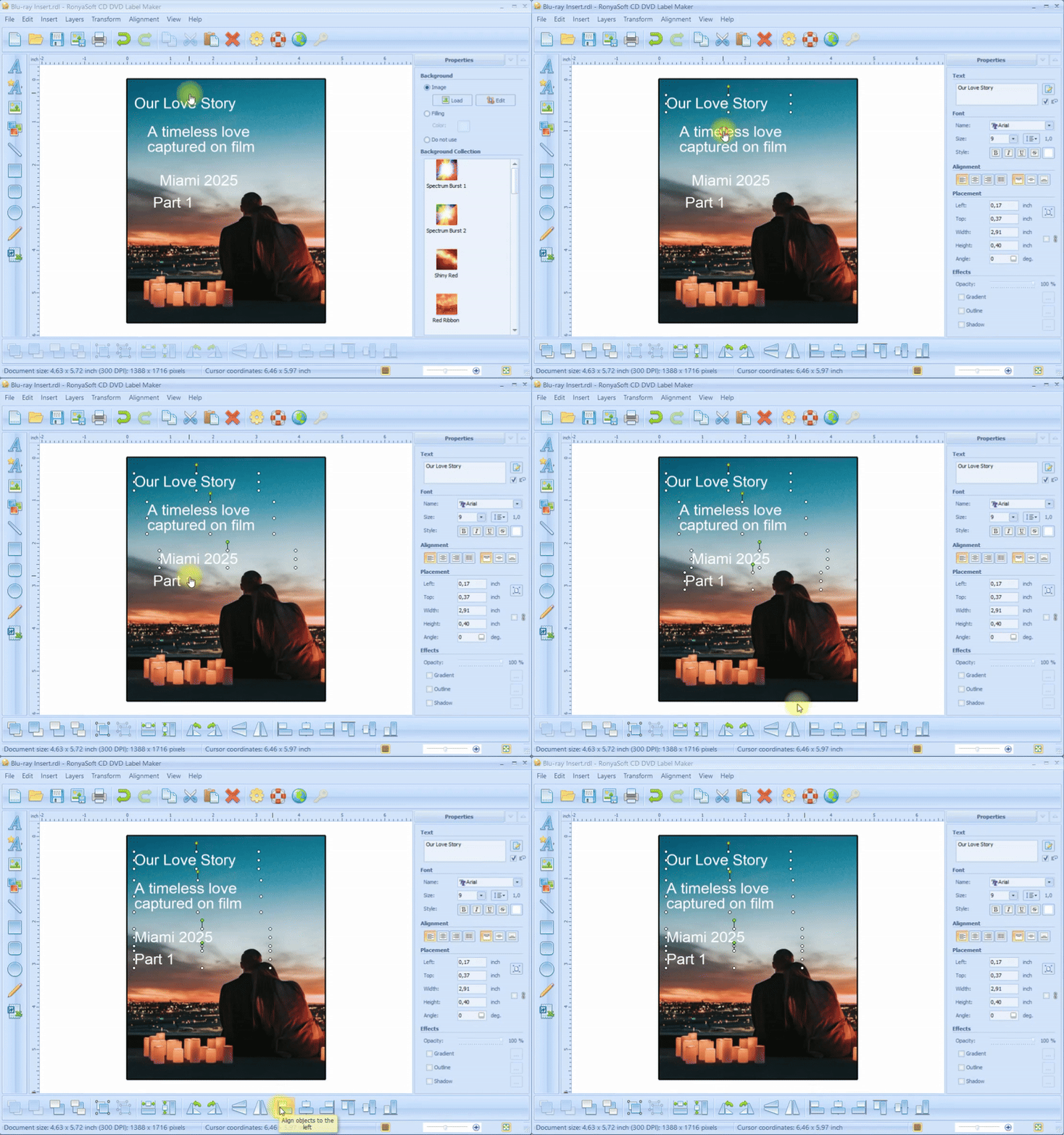
1. Object Alignment — Fast and Clean
Alignment is a basic but critical operation. Label maker offers several alignment modes: center, left/right edge, top/bottom edge, as well as distributing elements evenly.
Why it matters: Margins and symmetry directly affect readability and overall aesthetics. According to UX design best practices, users perceive visually structured information much faster. The alignment tool allows you to achieve this in a few clicks—without manual adjustments.
Expert Tip: Use the grid and "snap to grid" features to create a series of labels with identical element placement.
Aligning Objects on the Label
(Click to enlarge)
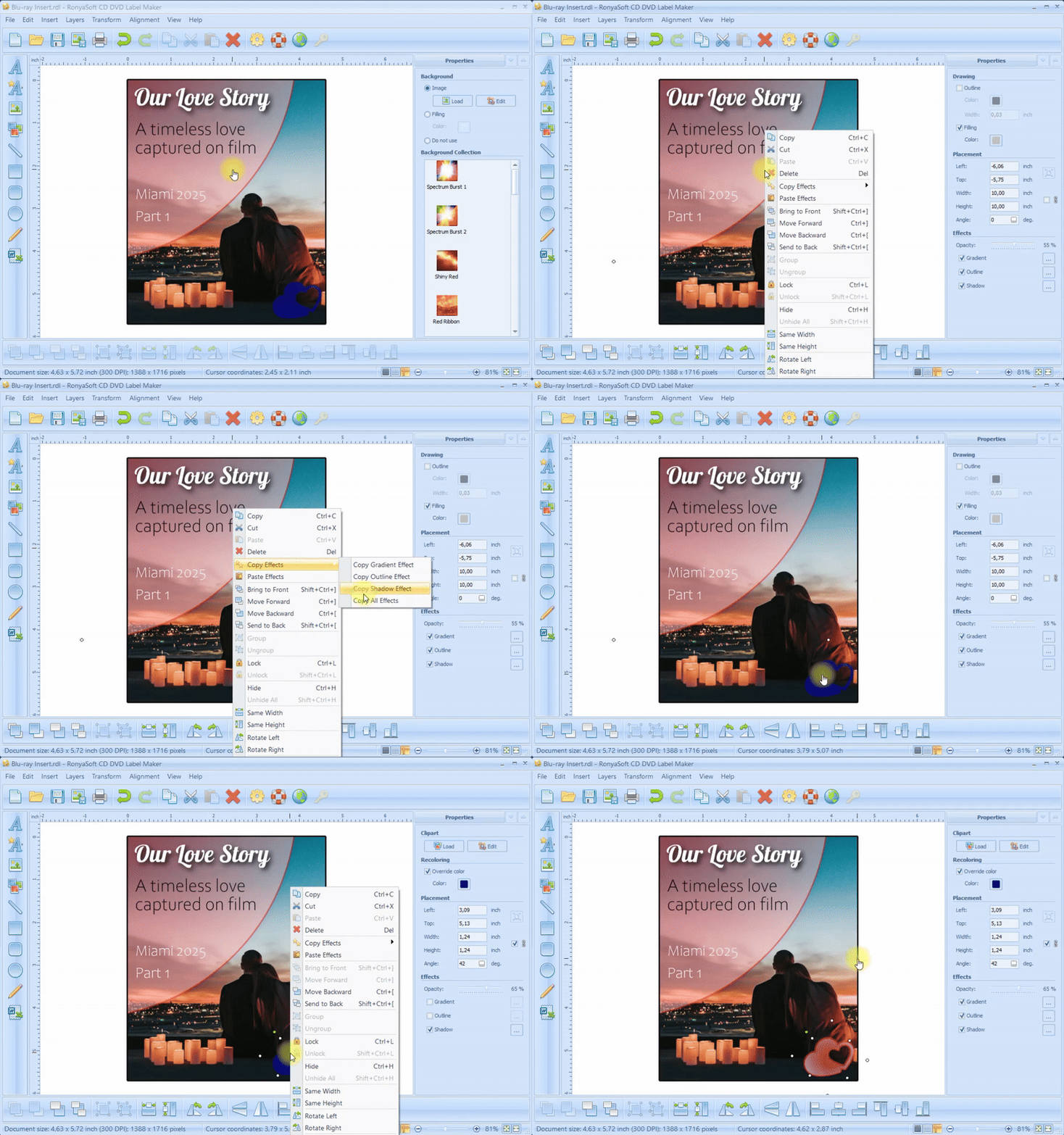
2. Copying Effects — Consistency for All Elements
The program allows you to copy a style or specific effects (shadow, outline, transparency) from one object and apply them to another. This is a huge "time saver" when creating multi-page projects or disc sets.
Advantages:
- Instant style unification;
- Minimum manual work;
- Preservation of a branded look.
The Practical Approach: Instead of re-configuring effects manually, copy them—and your entire collection of labels will look like a single, cohesive branded package.
Copying Style and Effects
(Click to enlarge)
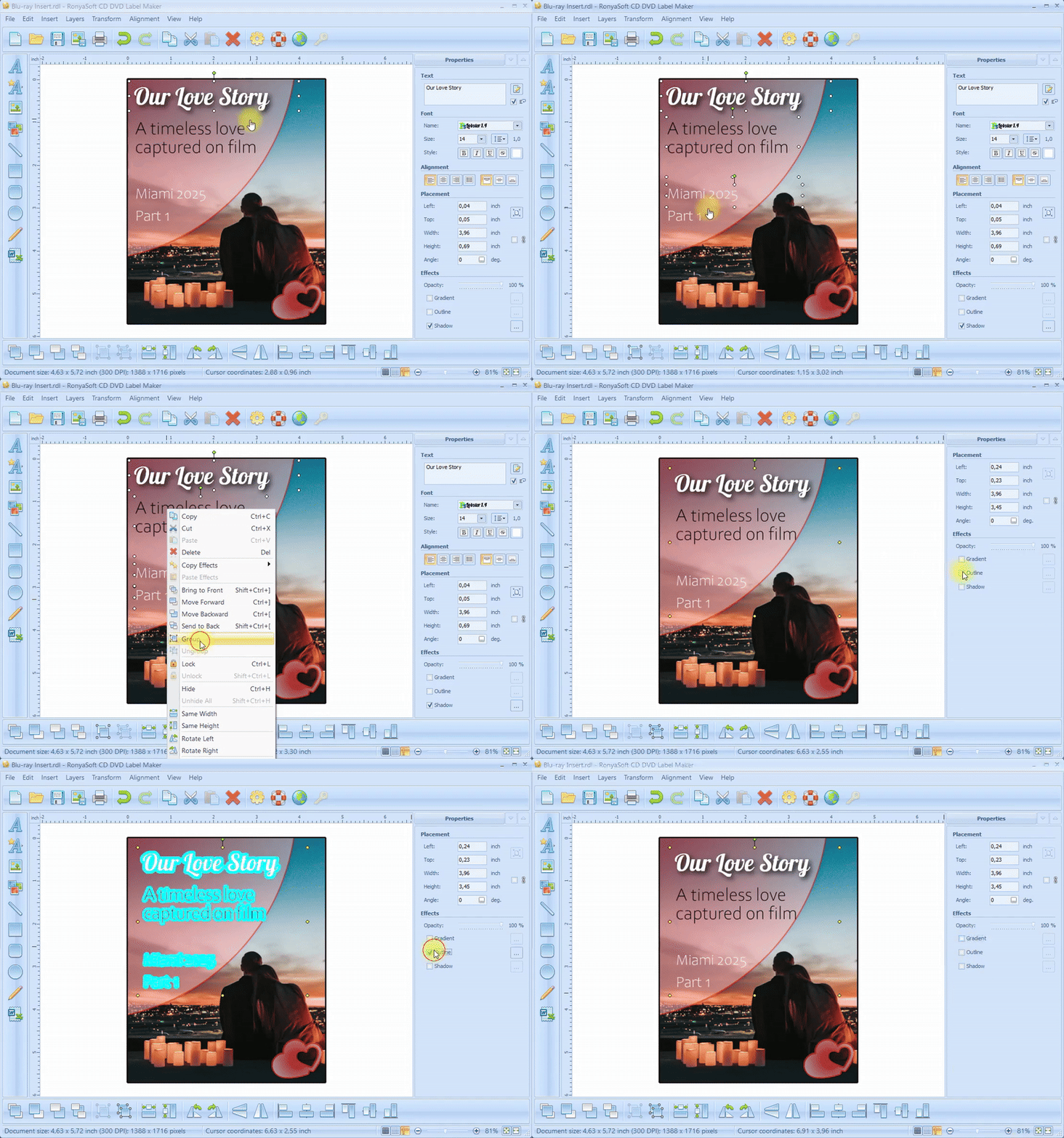
3. Grouping Objects and Mass Property Changes
Grouping allows you to combine several elements (text, icons, shapes) into a single block. Once grouped, you can change the properties of the entire group (size, relief, transparency) simultaneously for all components.
Benefits:
- Easy movement and scaling of complex compositions;
- Rapid application of changes to all combined elements;
- Minimization of errors during editing.
Practical Tip: Create groups for every logical block of the layout (header, caption, decorative elements)—this makes the process of adapting the layout for different disc sizes as simple as possible.
Grouping Objects for Mass Editing
(Click to enlarge)
Conclusion
RonyaSoft CD DVD Label Maker is a tool that balances simplicity with professional capabilities: precise alignment, fast effect copying, and flexible object grouping make the workflow faster and more reliable. Whether you are preparing promotional discs, archives, or personalized gifts, these features will help you achieve a professional result without unnecessary effort.
Ready to try it out? Visit the product page and download the demo - see for yourself how a few smart tools can change the way you design discs forever.
Want to know more - read our articles: